
eBay Motors - Showroom
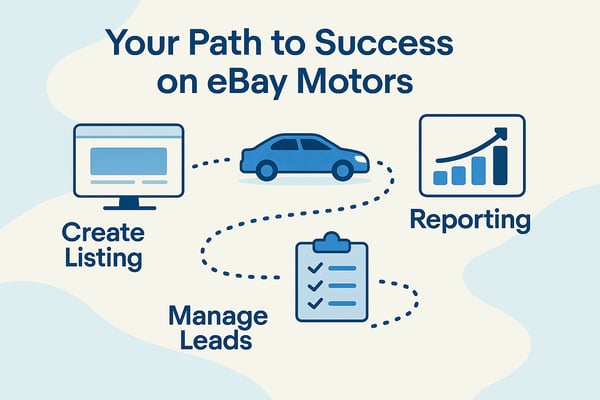
Welcome to the eBay Motors Showroom Portal. The Showroom is your central hub for managing all of your eBay vehicle-selling activity. With Showroom, you can: Manage your inventory, Oversee active listings and you can Track and respond to leads. The goal is simple: streamline your process and help you sell more efficiently. Showroom saves you time through automation, and it adapts to your dealership’s needs.
Showroom Log in
To login to the eBay Motors Showroom Listing Tool, please click on the Showroom Log in Button below. If you haven’t registered for the Showroom, please contact Dealer Support at motorstraining@ebay.com or call (866) 322-9227. You need to be a licensed vehicle seller in the United States as well as registered with eBay Motors to use Showroom. If you click on this link and get a "403" Error that means that you have not been activated in Showroom yet.
Showroom Log In
Online Training
Online "On Demand" training is available now for Showroom to take at your convenience. This training class is 20 minutes and will show you how to manage your inventory, manage your eBay listings and manage your eBay leads. By the end of this training, you’ll know how to customize and use Showroom in a way that best fits your dealership’s workflow. We are happy to work one-on-one with you to help you get the maximum out of Showroom. Taking this online class first though is key as it will answer all of the easy day one questions you will have.
Start Training

Secure Purchase - Training Class
This training will walk you through the step-by-step process that both the buyer and seller follow to complete a Secure Purchase on eBay Motors. Secure Purchase is Powered by Caramel Dealer Services, LLC, a subsidiary of eBay.
You’ll learn:
-
The Buyer’s Journey – what the buyer experiences from start to finish.
-
The Seller’s Role – your responsibilities at each stage of the process.
-
Best Practices – tips to avoid delays and ensure a smooth transaction.
By understanding the buyer’s perspective as well as your own, you’ll be able to save time, anticipate questions, and deliver a better experience for your customers.

eBay Motors Showroom - Training Class
The eBay Motors Showroom tool is the primary platform sellers use to manage their vehicles, listings, and leads.
In this training, you’ll learn how to:
-
Manage Listings – create, edit, and optimize your vehicle listings to maximize visibility and sales.
-
Reach Out to Customers – use built-in communication features to connect with buyers and build trust.
-
Automate Processes – set up automated features that save time and streamline your operations.
By the end of this session, you’ll know how to fully leverage the Showroom tool to simplify daily tasks and drive more sales.

eBay Motors Best Practices
This training will guide you through best practices for selling on eBay Motors.
We’ll cover three key areas:
-
Merchandising – how to present your inventory to attract buyers.
-
Listing Management – tips for creating, optimizing, and maintaining high-performing listings.
-
Customer Reachout – proven methods to build trust and maintain strong relationships with buyers.
By the end of this training, you’ll have the tools and strategies you need to successfully grow your business on eBay Motors.
.png?width=200&height=448&name=ebaymotors_master_onwhite%20(1).png)